
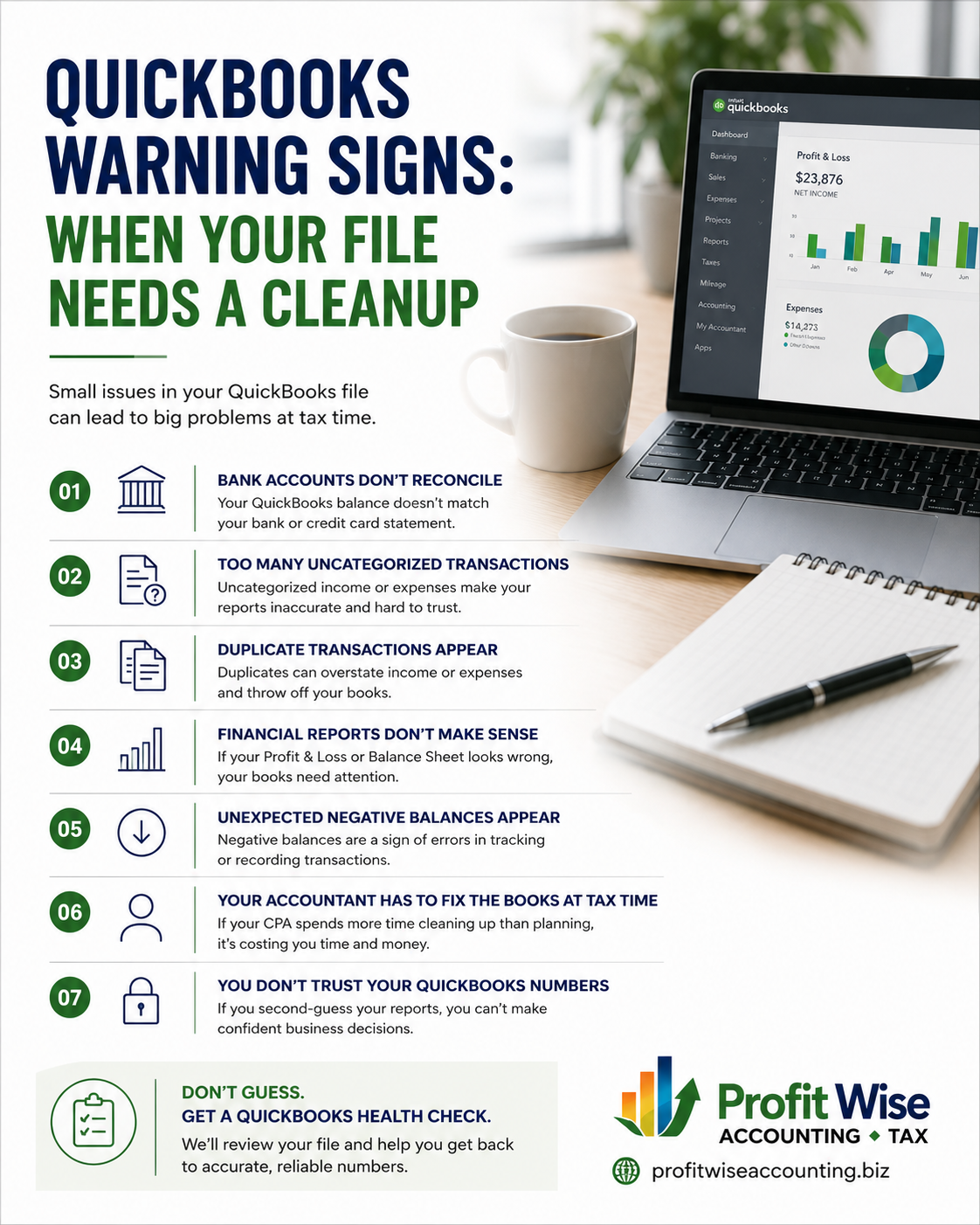
QuickBooks Warning Signs: When Your File Needs A Cleanup
Everything you need to know to clean-up QuickBooks
By: Sharon Heinz, EA
Date Posted: September 2026
Reading Time: 8 – 10 Minutes
QuickBooks is supposed to make managing your business finances easier. But if your file has been accumulating errors, unreconciled transactions, duplicate entries, or questionable account balances, it may be telling you something:
Your QuickBooks file may need a cleanup.
The problem is that messy books don’t always look messy at first. You may still be able to run reports, pay bills, send invoices, and enter transactions. But if the information behind those reports isn’t accurate, you could be making business decisions based on numbers you can’t trust. Whether you manage your own QuickBooks file or have an internal bookkeeper handling it, knowing the warning signs can help you catch problems before they become bigger and more expensive to fix.
What Is QuickBooks Cleanup?
QuickBooks cleanup is the process of reviewing and correcting historical bookkeeping issues so your financial records accurately reflect your business. A cleanup may involve reconciling bank and credit card accounts, correcting transaction classifications, identifying duplicate entries, addressing unusual account balances, and reviewing financial reports for errors.
The goal isn’t simply to make QuickBooks look organized. The goal is to make your financial information reliable.
That matters because your QuickBooks file can affect tax preparation, cash-flow decisions, profitability analysis, loan applications, and the financial information you use to run your business. QuickBooks itself recommends looking for cleanup triggers before small problems become larger bookkeeping issues.
7 Warning Signs Your QuickBooks File May Need a Cleanup
1) Your Bank Accounts Don’t Reconcile
One of the biggest warning signs is when the balance in QuickBooks doesn’t match your actual bank or credit card statement. Reconciliation is designed to compare the transactions recorded in QuickBooks with the activity reported by your financial institution. When accounts aren’t reconciling, there could be missing transactions, duplicate entries, incorrect amounts, or other bookkeeping errors. Unreconciled accounts are one of the most commonly cited indicators that a QuickBooks file needs attention.
2) You Have a Lot of “Uncategorized” Transactions
Do you see accounts such as Uncategorized Income, Uncategorized Expense, Ask My Accountant, or similar catch-all categories? A few may not necessarily mean something is wrong. But if these accounts have accumulated a significant number of transactions, your books may not be providing an accurate picture of where your money is coming from or going.
3) You See Duplicate Transactions
Have you ever connected a bank account, imported transactions, and then manually entered some of the same transactions?
That can create duplicates.
Duplicate transactions can overstate income or expenses and make reconciliation much more difficult. They may occur because of repeated imports, bank-feed issues, or transactions being entered manually after already being downloaded.
4) Your Financial Reports Don’t Make Sense
One of the most important warning signs is if you look at your profit/loss statement and think:
“That can’t be right.”
Don’t ignore that feeling. Your financial statements are supposed to help you understand your business. If the numbers don’t make sense, there may be an underlying bookkeeping issue that needs to be investigated. Unexpected P&L results and unusual or missing values on financial statements are among the warning signs identified in current QuickBooks cleanup guidance.
5) You Have Unexpected Negative Balances
Negative balances aren’t automatically errors. Some accounts can legitimately have negative balances depending on the circumstances. But unexpected negative balances can be a warning sign. For example, unusual negative balances in accounts such as accounts receivable, inventory, or certain asset accounts may indicate missing transactions, incorrect entries, or other bookkeeping problems.
6) Your CPA Has to “Fix” Your Books Every Tax Season
This is a big one.
If you hand your QuickBooks file to your tax professional every year and they have to spend significant time correcting transactions, reconciling accounts, or making large adjustments before they can prepare your return, your books may need more than an annual review.
Bookkeeping cleanup helps make sure the historical information your tax professional receives is accurate in the first place. Repeated adjustments from year to year may indicate that the underlying bookkeeping process needs attention rather than simply waiting for the next tax season.
7) You’re Using Spreadsheets to Explain What QuickBooks Is Supposed to Tell You
If you have to maintain a separate spreadsheet because you don’t trust the numbers in QuickBooks, that’s another warning sign. Spreadsheets can be useful tools. But if you’re using them to compensate for unreliable QuickBooks data, it may be time to determine why the QuickBooks file isn’t giving you the information you need.
If you have created a second system to figure out your finances because you know that the numbers in QuickBooks are not correct, then you need a clean up in QuickBooks.
Other Situations That Can Trigger a QuickBooks Cleanup
Sometimes you don’t discover a problem because something looks wrong in QuickBooks. Instead, a major business event reveals that your books aren’t as clean as you thought.
- You have switched bookkeepers
- You have fallen behind on bookkeeping
- You have connected new apps or integrations
- You are applying for a business loan
- You are preparing for tax season
- You have experienced significant business changes
QuickBooks Cleanup vs. Ongoing Bookkeeping
Ongoing bookkeeping keeps your books current by recording, categorizing, and reconciling transactions on a regular basis. QuickBooks cleanup focuses on correcting problems that have already accumulated in the file. If the starting information is inaccurate, simply continuing to add new transactions doesn’t necessarily fix the underlying problem. A cleanup can help establish a reliable starting point so your ongoing bookkeeping has a stronger foundation.
Don’t Guess. Get a QuickBooks Health Check
Are you ready to stop guessing? You don’t have to wait until tax season—or until your CPA tells you something is wrong—to find out whether your QuickBooks file needs attention.
A QuickBooks Health Check can help identify potential problem areas and determine whether your file would benefit from a cleanup. At Profit Wise, we can review your QuickBooks file, identify areas that need attention, and help you understand what needs to be corrected. Your QuickBooks should give you confidence in your numbers—not more questions.
If you’re wondering whether your books are actually as clean as you think they are, request a QuickBooks Health Check today.
| Common Questions | Other Resources |
|---|---|
| How to recordkeep | Recordkeeping | Internal Revenue Service |
| What is QuickBooks | What is QuickBooks & How does it Work? |
About the Author
Sharon Heinz, EA, is the owner of Profit Wise Accounting. Profit Wise provides tax preparation, strategic tax planning, accounting, bookkeeping, payroll, and business advisory services for small and growing businesses.