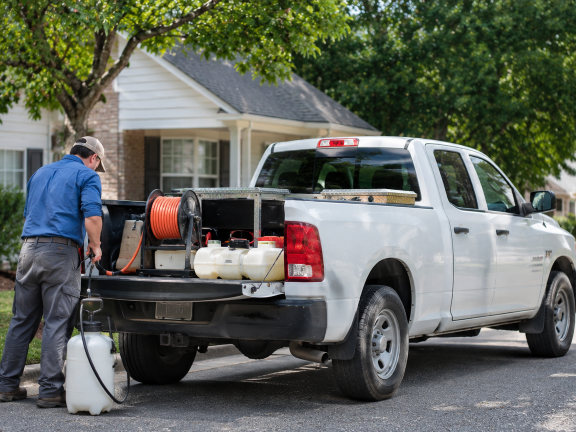

What Should a Pest Control Company Track in QuickBooks?
Your schedule is full, customers are renewing, and the trucks are staying busy. Yet when payroll comes around, you still find yourself watching the bank balance. If business is growing, why does cash feel so tight?
The answer may be buried in your books. QuickBooks can record every transaction correctly and still leave you without the detail you need to understand service profits, technician costs, or next month’s cash needs. Before you hire another technician, add a truck, or spend more on advertising, you need to know what the business can support.
Quick Answer
Your HVAC company can afford another technician when demand is sustainable, the expected collected revenue covers the technician’s fully loaded cost and related overhead, and the business can fund the ramp-up without straining cash. Start with the annual cost of wages, payroll taxes, benefits, vehicle, tools, insurance, training and supervision. Divide that cost by the contribution margin on the work the technician will perform. Then test the result against realistic billable hours, collection rates and seasonal demand.
Why a basic profit and loss report is only the starting point
General pest control agreements can bring steady revenue, but they also require repeat visits. Termite jobs may produce larger invoices and use more materials. Mosquito work can be seasonal. Commercial contracts may keep a crew busy while leaving little room in the price.
Put all of that revenue into one “Sales” account and every purchase into “Supplies,” and those differences disappear. You can see total profit without understanding which work produced it. A practical reporting structure gives you enough detail to investigate. It does not require hundreds of accounts.
1. Revenue by service line
Separate the services you price and manage differently. That might mean recurring general pest control, termite inspections and treatments, mosquito services, wildlife or exclusion work, and commercial service. Choose categories that reflect how your company operates.
Depending on your QuickBooks edition and workflow, products and services, classes, locations, projects, or other reporting options may help. The setup also needs to account for how your field-service platform sends invoices into QuickBooks. Check the integrations carefully so the same sale is not recorded twice.
- Compare each service line’s revenue with last month and the same month last year.
- Look at average revenue per completed service as well as total sales.
- Review discounts, callbacks, and low-margin work that may be eating into the benefit of higher sales.
Owner question: Which services are driving our growth, and do their margins justify taking on more of that work?
2. Recurring revenue and service commitments
Recurring plans make it easier to anticipate future work. An active customer count, though, does not tell you how much money will actually arrive. Track scheduled contract value, invoices, collections, renewals, cancellations, and the services you still owe customers.
QuickBooks can report invoices and payments. Your field-service system may be the better place to monitor plan status, renewal dates, churn, skipped services, and technician visits. Reconcile the systems regularly so customer balances and payments agree without being counted twice.
Be especially careful with prepayments. When a customer pays for services you have not yet performed, that payment may create a liability rather than immediately earned revenue, depending on the applicable accounting and tax rules. Some of that cash may need to cover future visits. Treating the whole deposit as available profit can leave you short later.
3. Direct service costs and gross profit
Track what it costs to deliver the work: technician wages, employer payroll costs, treatment chemicals, traps, bait stations, protective equipment, subcontractors, and other job-specific supplies.
If technician payroll is buried in general overhead, a service line’s reported gross profit may look better than it really is. Assign costs directly where you can. For shared costs, use a consistent allocation method agreed on with your accounting team. Consistency gives you a fair comparison from one service or month to the next.
Example of equal sales with different margins
Imagine reviewing two service lines that each brought in $40,000 for the month. If you only look at revenue, there is no obvious reason to favor one over the other. The direct costs tell a different story.
The general pest plans left $5,000 more to cover overhead and profit. If you were deciding where to spend your next advertising dollar, that difference would deserve a closer look.
This is an illustrative example, not an actual client case. It excludes indirect costs and assumes direct costs are classified consistently. It does not mean general pest plans are always more profitable than termite work. It shows why you need to review costs before deciding that a bigger sales number represents better business.
| Illustrative monthly results | General pest plans | Termite work |
|---|---|---|
| Revenue | $40,000 | $40,000 |
| Direct labor and payroll burden | $16,000 | $12,000 |
| Materials and other direct costs | $4,000 | $13,000 |
| Gross profit before overhead | $20,000 | $15,000 |
| ross margin | 50% | 37.5% |
4. Technician labor and productivity
Labor is a major controllable cost for many pest control companies. Use payroll reports or payroll entries to track wages, overtime, employer payroll taxes, benefits, and workers’ compensation-related costs. Then compare those costs with what happened in the field.
Your scheduling software should help explain completed visits, billable time, drive time, callbacks, and revenue per technician. A full calendar can hide hours spent driving between scattered appointments or returning to jobs that were already billed.
Useful measures include:
- <>Technician labor as a percentage of service revenue.
- Revenue and gross profit per technician or crew.
- Overtime and callback trends.
- Drive time, route density, and completed stops from your operational systems.
Use these measures to investigate, not to judge an employee on one number. Geography, service mix, training, and job complexity all affect productivity. A difficult route may need a scheduling change rather than a conversation about working faster.
5. Route and customer profitability
Some accounts take much more work than their invoices suggest. Frequent callbacks, long drives, special scheduling requests, and heavy chemical use can reduce what you earn from a customer who always pays on time.
Where practical, combine accounting data with field-service information to compare revenue with labor, materials, callbacks, and travel costs. QuickBooks may not contain every piece of that picture. Start with your busiest routes or largest contracts instead of trying to build a perfect cost allocation for every customer at once.
Owner question: If we added 20 customers with the same service demands and pricing as this account, what would happen to profit?
6. Accounts receivable and deposits
A sale and a bank deposit do not always happen in the same week. Commercial customers may pay slowly, invoices may go out late, and autopay can fail. Payment processors can add another layer of confusion by depositing several customer payments together.
Review your accounts receivable aging weekly. Follow up on overdue balances, unapplied payments, duplicate invoices, and deposits that do not match customer transactions. When a processor deducts fees, record the gross customer payment and the fees appropriately. Recording only the net deposit as sales can understate revenue and hide processing costs.
If receivables keep growing, find out why. A strong-looking income statement is not much comfort when the money needed for payroll is still sitting in unpaid invoices.
7. Cash flow and slow-season reserves
Profit does not tell you everything about cash. Truck payments, equipment purchases, taxes, customer prepayments, owner distributions, and collection timing all affect what is available in the bank. Loan principal, for example, uses cash without appearing as an expense on the profit and loss statement.
Use your balance sheet and transaction history to help build a rolling 13-week cash forecast. Add a 12-month seasonal plan so you can see when slower revenue may create a gap. Set a minimum operating cash balance and account for known tax obligations before approving additional spending.
Profit Wise insight: Before you decide what you can spend, work out how much of the bank balance is already committed.
8. Vehicles, equipment, and supplies
Keep fuel, repairs, maintenance, insurance, leases, and vehicle loan balances organized consistently. Separate loan principal from interest. Major truck and equipment purchases need the appropriate asset treatment rather than automatically recording the entire payment as an expense.
Chemicals and other supplies also need a method that fits the company’s size and accounting requirements. Significant inventory or prepaid costs may need separate tracking. If these items are misclassified, both your profitability reports and tax planning can be affected.
9. Payroll liabilities, taxes, and owner payments
Amounts owed need to be visible in the books. Reconcile payroll liabilities, sales or use tax where applicable, and other obligations. Include income tax estimates in your cash planning, with accounting treatment appropriate to the entity. For an S corporation, record owner wages separately from shareholder distributions; distributions are not ordinary operating expenses.
These distinctions matter when you consider another truck, a new hire, or a larger owner withdrawal. Cash that is needed for taxes or future customer services is already spoken for, even if it is still in the checking account.
10. Customer acquisition and retention
Track advertising costs by meaningful channel, then compare them with leads, new customers, retention, and customer value. QuickBooks can show the spending. A CRM or field-service platform will usually be needed to identify where leads came from and what happened after they became customers.
Look beyond the number of calls a campaign generates. One campaign may bring in low-value, one-time treatments; another may produce recurring plans that customers renew. Compare acquisition cost with expected contribution margin so you can judge whether the growth is worth paying for.
Reports to review each month
No single report answers every question. Use these together to connect profitability, collections, obligations, and upcoming cash needs.
| Report or measure | What it tells you |
|---|---|
| Profit and loss by month and service line | Whether revenue growth is producing gross profit and operating profit |
| Balance sheet | Cash, receivables, liabilities, debt, and equity |
| Accounts receivable aging | Who owes money and how overdue the balances are |
| Payroll and labor summary | Wages, overtime, and payroll burden trends |
| Revenue by product, service, or class | How different treatments and contracts perform |
| Bank and credit card reconciliations | Whether accounting balances agree with financial institutions |
| 13-week cash forecast, often external | Whether expected receipts will cover upcoming payments |
| Route and customer reports from field-service software | Retention, callbacks, route density, and service productivity |
Set up QuickBooks so your team can maintain it
Begin with a clean chart of accounts, consistent service categories, reliable bank feeds, and a documented process for moving transactions from your field-service platform into QuickBooks. Decide which system controls invoices, customer balances, and payments. Check that multiple integrations are not posting the same activity.
Assign responsibility for reconciliations, receivables, payroll liabilities, and month-end financial statements. Once the books are accurate, add service-line profitability and connect the operational measures you need. You can build useful reporting in stages.
Keep the ongoing workload in mind. Your team needs to be able to maintain the system every month after the initial setup is finished.
When the books need cleanup first
Unreconciled bank accounts, unexplained negative balances, duplicate sales, old customer credits, and loans recorded as expenses are signs that the reports need attention. Financial statements that keep changing after a month is supposedly closed also deserve investigation.
If those problems are present, prioritize a QuickBooks cleanup before using the numbers to make hiring, pricing, or tax decisions. The purpose is to restore information you can rely on throughout the year as well as at tax time.
Pest control owner’s monthly QuickBooks checklist
Frequently Asked Questions
Get clearer answers from your financial reports
Profit Wise Accounting and Tax helps business owners improve financial reporting, identify accounting problems, and use better information for tax planning and business decisions. Whether you need a QuickBooks cleanup or more useful reporting, start by finding out what your current numbers can tell you and what is missing.
Find out whether your financial reports give you the information you need to manage cash flow, pricing, payroll, and growth.
About The Author
Sharon Heinz, EA, is the owner of Profit Wise Accounting in Huntsville, Alabama. As an Enrolled Agent, Sharon is a federally authorized tax practitioner with a focus on helping small-business owners navigate tax compliance, tax planning, accounting, and business decisions with greater clarity.
This article is for general educational purposes only and is not tax, accounting, legal, or financial advice. The appropriate accounting relationship, professional credential, service structure, and tax treatment depend on the facts and circumstances of each business. Consult a qualified professional about your specific situation.